Installation Guide
In this guide we will cover exactly how to install Img Alt Gen Pro to your website.
By Direct Download
Direct download is the easiest method to install the Img Alt Gen Pro plugin at this time. It also ensures you always have the very latest version available.
Current Version: 3.0.7
Installation Steps
Step 1
Download the plugin file by clicking the “Download Plugin” button.
Step 2
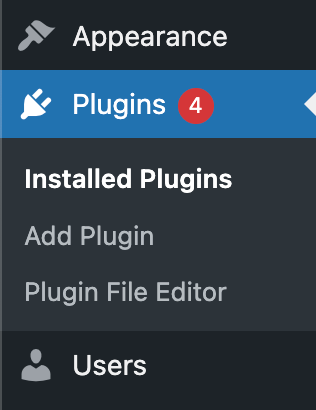
Click “Add Plugin” from the WordPress side menu
Step 3
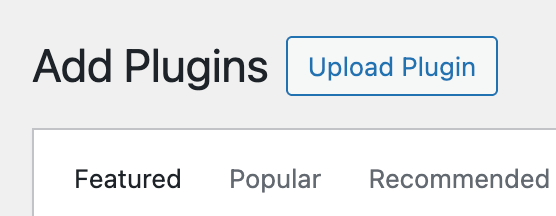
Select the Upload Plugin button from the top of the page and select “Choose File” from the options that appear.
Step 4
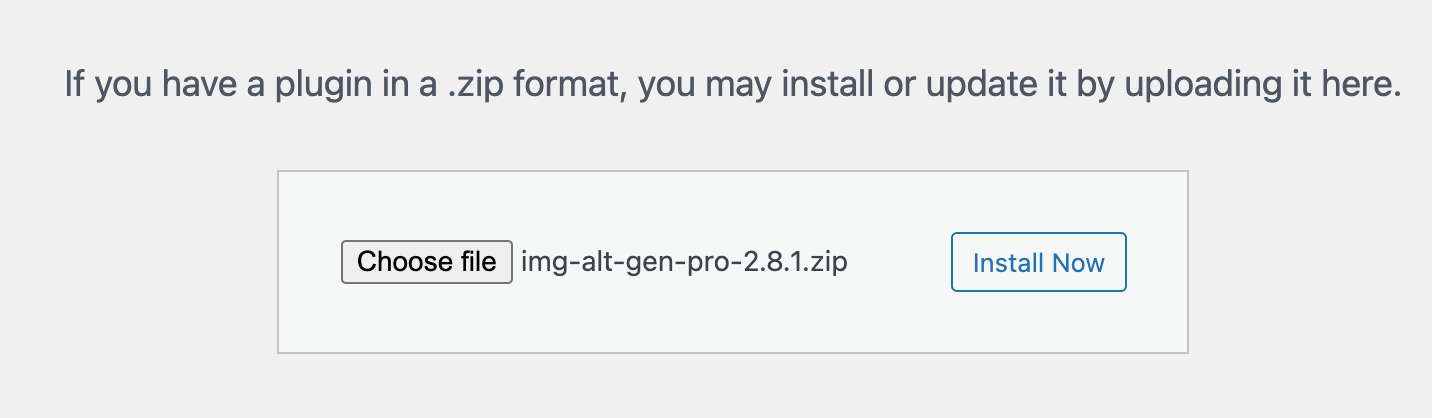
Navigate to the downloaded zip file on your computer, select it, then click install now. The plugin will be installed.
Step 5
Activate the plugin and Signup to your account to get your 10 free tokens to try our product. Alternatively sign up for an account here and use your credentials to log in on the plugin and connect your domain