
Img Alt Gen Pro Chrome Extension
Alt text for any site you work on, right from your browser
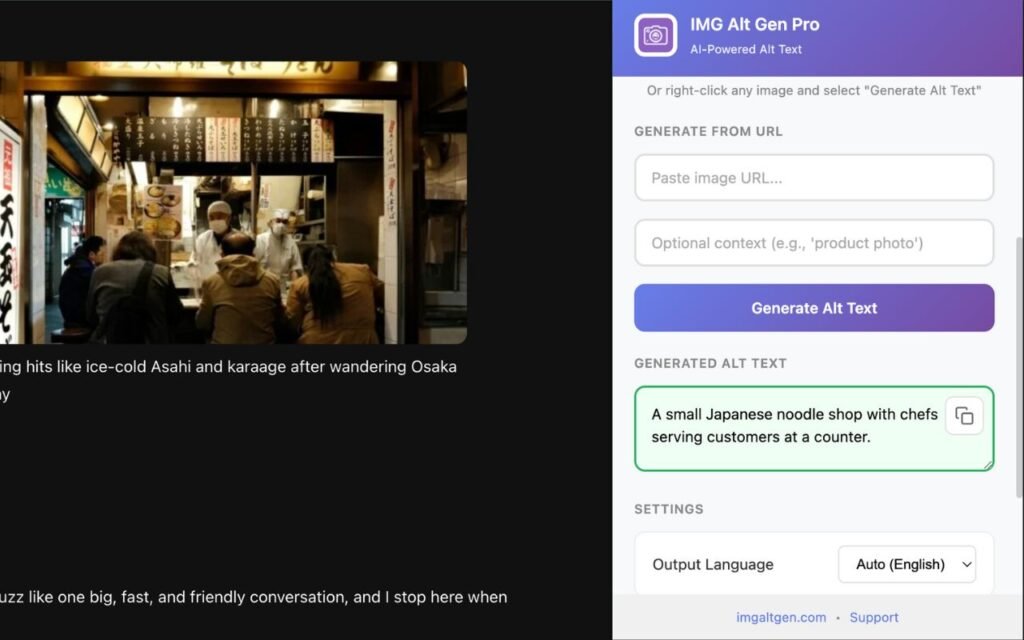
Use the Img Alt Gen Chrome extension inside Shopify, Webflow, custom CMSs and more. If you can see the image in Chrome, you can generate alt text for it.
You don’t just work in one CMS. Your alt text shouldn’t either.
Agencies, SEOs and content teams jump between Shopify, Webflow, WordPress, bespoke CMSs and social platforms. The Img Alt Gen Pro Chrome extension gives you the same alt-text generation quality everywhere, powered by your central Img Alt Gen account.
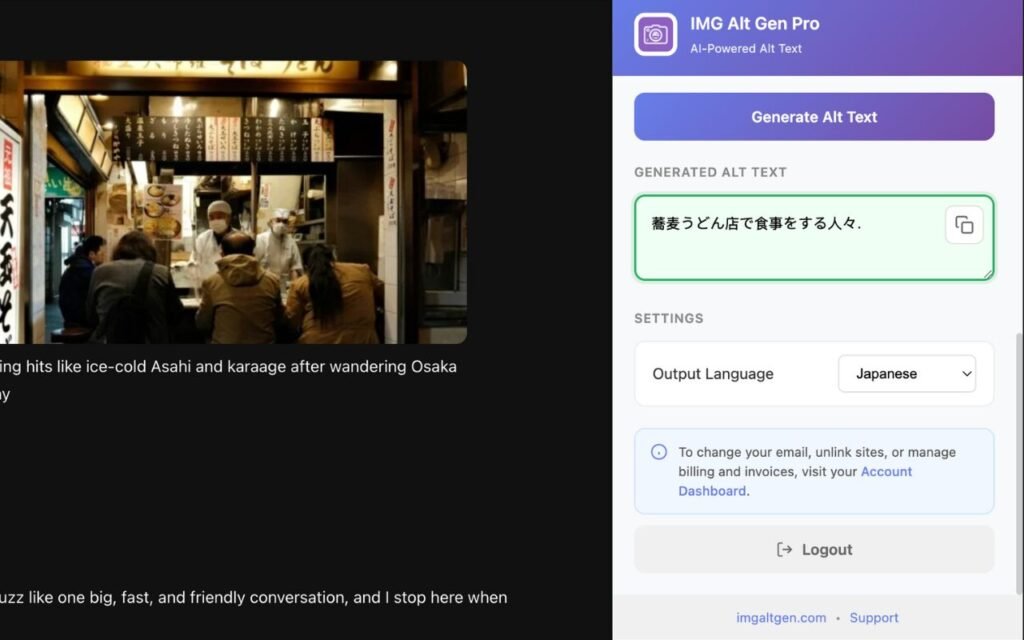
Shopify & other storefronts
Add meaningful alt text to product images without leaving the product editor.
Webflow & static sites
Make your visually-led builds accessible without writing every description from scratch.
Custom CMSs & internal tools
If it runs in the browser and lets you edit alt text, you can use the extension with it.
Features
Contextual use
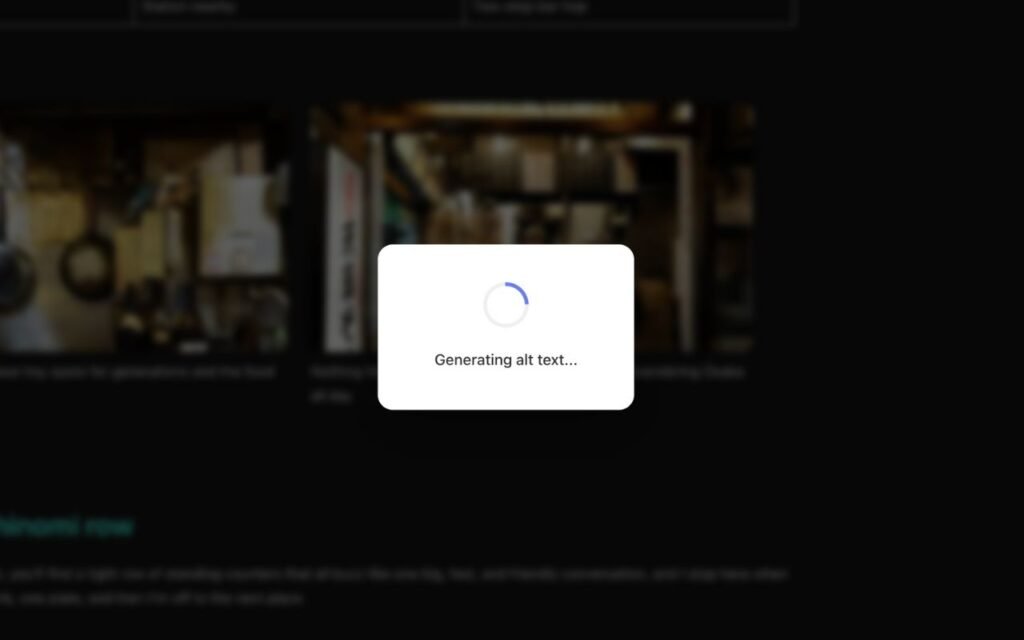
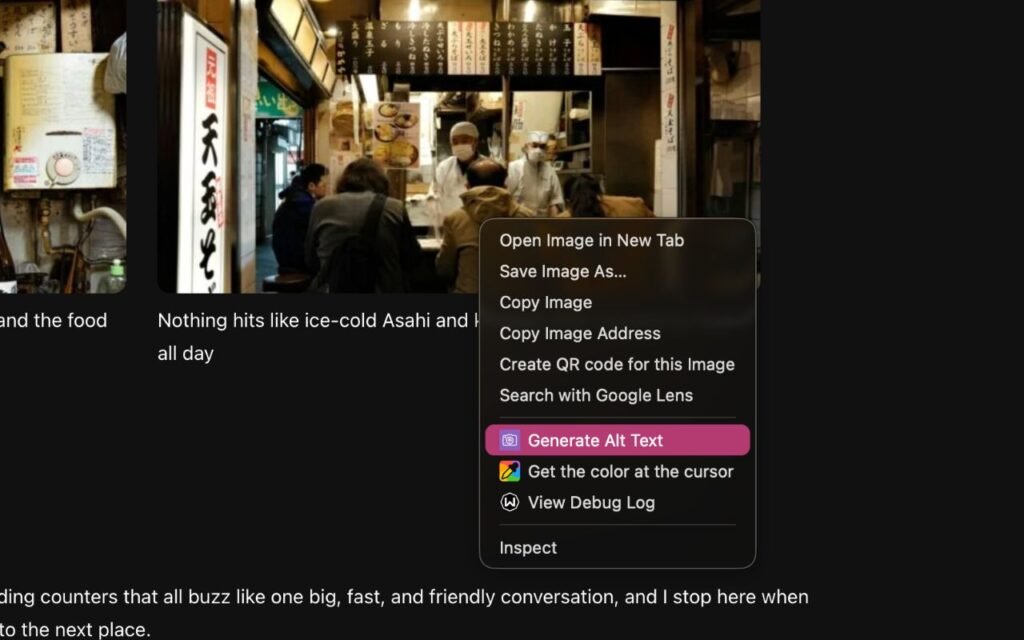
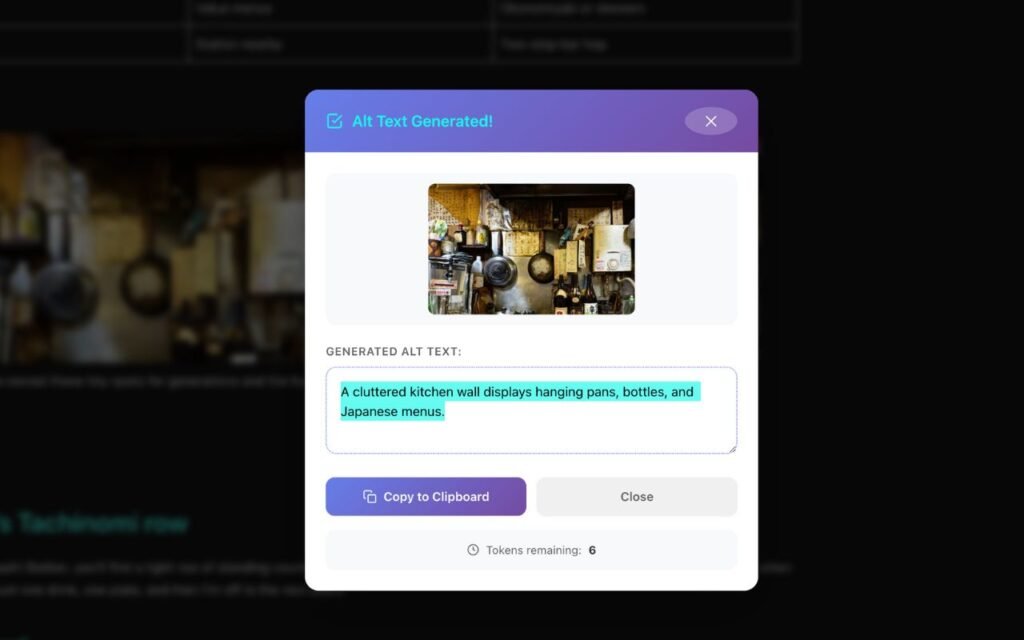
Trigger the extension while you’re editing a page or product. It reads the image, generates a description, and you paste or insert it into the alt field.
Consistent quality with our WordPress Plugin and other Img Alt Gen products
Same underlying service, same account, same token pool. Doesn’t matter where the image lives.
Team-friendly
Give your team the extension and let them use your team account, with usage visible in the central dashboard.
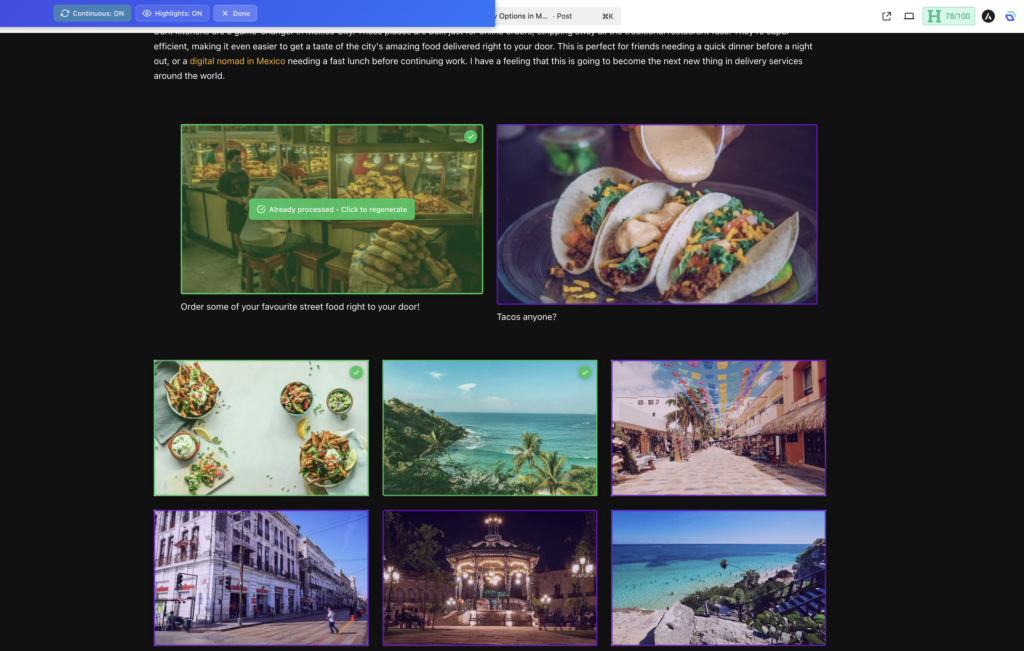
New Workflow Friendly Overlays
We are excited to announce that we have introduced dynamic overlays to assist with a multi-image workflow. This means you always know which images have been processed within a session.
Simple workflow
Step 1
Install the Chrome extension.
Step 2
Log in with your Img Alt Gen account.
Step 3
Open your CMS frontend in Chrome, select an image, and run the extension.
Step 4
Copy the suggested alt text into your alt field in the backend.